
Workflows
Begin with the tasks your team and customers depend on.
DENTAL IMAGING · EQUIPMENT & SOFTWARE
Installation, maintenance, repair and relocation—with the imaging software connected.
Network Experts supports dental practices and DSOs with certified technicians for Carestream Dental, Vatech America, DEXIS and RAYSCAN equipment. We inspect your system, define the work and coordinate the equipment, workstation and practice-software requirements.
Discuss your imaging equipment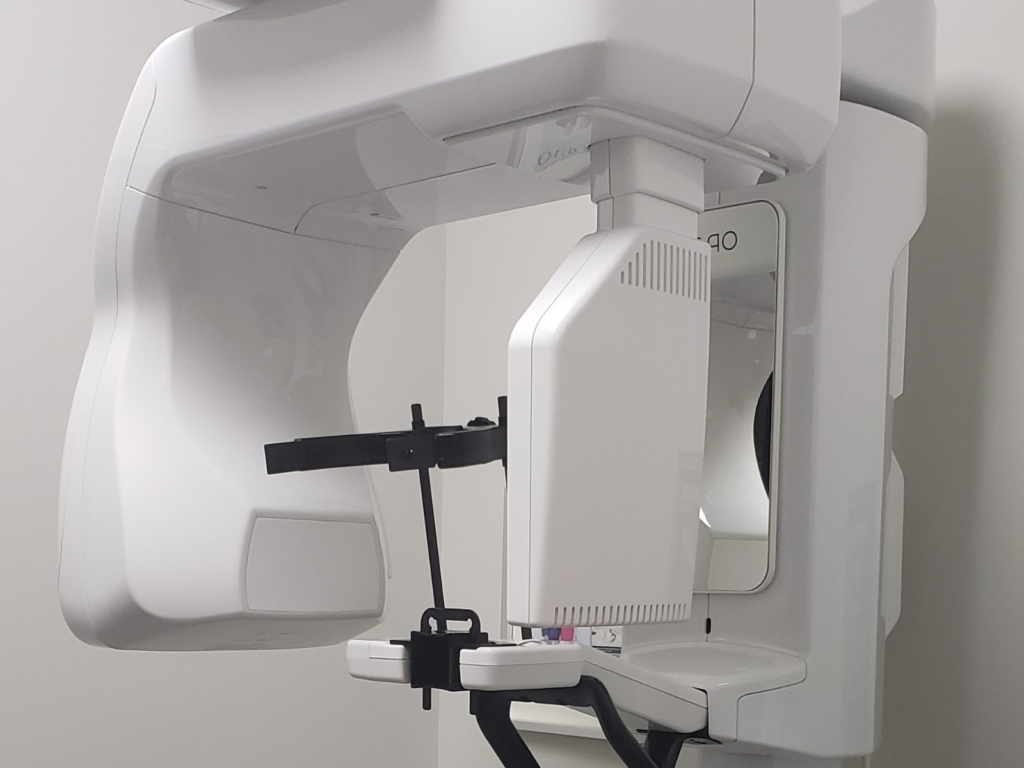
BUILT AROUND YOUR WORK
Connect the everyday experience with the applications, locations and people behind it.
Begin with the tasks your team and customers depend on.
Map the applications, devices and locations involved.
Agree who supports the systems and coordinates changes.
WHEN YOUR PRACTICE NEEDS US
Plan equipment placement, acquisition computers and software before the unit arrives.
Investigate image-quality concerns, connection failures, mechanical faults and interrupted acquisition.
Coordinate disassembly, approved movers, offloading and reinstallation, with checks before returning to use.
WHAT WE DELIVER
Inspect the site and equipment, review manufacturer requirements, and install the unit and supported acquisition environment. Coordinate room readiness, power, mounting and other specialist responsibilities before scheduling acceptance checks.
Inspect wear, connections, moving components and positioning accessories using the model’s maintenance guidance. Document findings and agree a maintenance plan around equipment condition, usage and practice operations.
Perform appropriate quality-control checks and manufacturer-prescribed calibrations to help maintain consistent images. Assess recalibration needs after relocation, relevant repairs or failed quality checks; record results against the unit’s specified criteria.
Inspect the unit to identify the cause and any replacement parts required. We coordinate with your practice to obtain the correct parts from the manufacturer, then complete the agreed repair and verification. Scope and timing follow the inspection and parts availability.
We disassemble the equipment, coordinate approved moving companies and offloading, and reinstall it at the new location. The move plan follows our internal inspection, manufacturer handling requirements and the readiness of the destination.
Install, maintain and troubleshoot supported imaging applications, acquisition workstations and practice-management links. Plan updates, backups and workflow validation together, with ongoing support responsibilities agreed for your environment.
BRANDS & MACHINE FAMILIES
Our certified technicians support the four brands below. These are representative families, not a complete model list. Every job is subject to our internal inspection, the installed configuration, manufacturer requirements and the availability of suitable parts.
CS 8100 family: panoramic and 3D variants, including applicable SC cephalometric configurations.
CS 8200 3D family: including Neo, Access and Advance configurations.
CS 9600: configurable panoramic/CBCT systems with optional modules.
We review positioning and mounting, acquisition connectivity, image-quality checks and the applicable calibration workflow. CS Imaging and CS 3D Imaging installation, updates and supported practice links are part of the software discussion.
For example, the CS 8200 3D guide specifies monthly image-quality control and recommends an annual general inspection. That is not a monthly recalibration requirement for every Carestream model.
Carestream product resourcesPaX-i family: panoramic configurations, with cephalometric options depending on the unit.
Green CT & Green X: CBCT families, including Green X 12, 18, 21 and Plus configurations.
Smart Plus: panoramic and CBCT workflows with available cephalometric configurations.
Maintenance planning includes mechanical wear, cables, alignment and the model’s quality tests. Sensor and geometric calibrations require the appropriate qualified technician and tools. Software work can include EzServer, EzDent-i, Ez3D-i and compatible Clever One environments, with coordinated versions and verified backups before upgrades.
Vatech maintenance guidanceORTHOPANTOMOGRAPH OP 3D: panoramic, CBCT and applicable cephalometric configurations.
OP 3D EX & OP 3D LX: newer family members with configuration-specific room and software requirements.
Existing OP 3D Pro & i-CAT systems: inspected individually for service needs, manufacturer support and parts availability.
We review installation readiness, positioning components, acquisition connectivity and the quality-control or calibration procedures specified for the exact device. Software support follows the installed environment, such as DTX Studio Clinic, DEXIS Imaging Suite or supported legacy applications. A product’s optional manufacturer support plan is separate from our agreed service.
DEXIS imaging familiesRAYSCAN Alpha 2D: panoramic systems with an optional cephalometric module.
RAYSCAN Alpha Plus & RAYSCAN S: CBCT families with different imaging configurations.
Other RAY units: share the model and configuration so we can inspect the equipment and confirm the appropriate service approach.
We check the installation, movement and positioning assemblies, acquisition computer, software connections and model-specific image-quality requirements. Relocation includes a review of required recalibration and verification at the new site. Imaging software and practice links are confirmed for the actual installed version; a similar product name does not establish compatibility.
RAY product resourcesMAINTENANCE & IMAGE QUALITY
A quality-control check measures performance. Calibration adjusts the system using the correct procedure and test tools. Both matter, but their timing and responsibilities depend on the model, manufacturer instructions and applicable local requirements.
Follow the unit’s cleaning, inspection and quality-assurance schedule. We help plan technical service and keep results documented; practice staff follow the manufacturer’s instructions for routine operator care.
Review mounting, alignment, connections and the required calibration sequence. Perform the specified quality and acceptance checks before the equipment returns to clinical use, coordinating any separately required inspection.
Report new artifacts, inconsistent sharpness or failed quality tests. We investigate equipment, software and positioning dependencies. Recalibration is not a guaranteed fix for every image problem.
Technical service supports equipment performance. Clinical image interpretation and decisions about patient imaging remain with the practice’s qualified clinicians.
IMAGING SOFTWARE & PRACTICE MANAGEMENT
A working scanner is only part of the system. We install and maintain imaging software, configure supported connections and validate the path from selecting a patient record to acquiring, saving and reopening the image.
Check the manufacturer’s workstation, operating-system, graphics and network requirements. Keep capture software, viewers, drivers and server components on compatible versions.
Connect supported imaging workflows with Open Dental, Dentrix, Eaglesoft and other practice systems. Confirm the exact application, version, license and integration method; a launch bridge is different from importing images or exchanging a full 3D study.
Plan verified backups before updates or moves, access permissions, image storage and recovery responsibilities. Test record matching and image retrieval with an approved validation workflow.
For Open Dental, the documented bridge differs between standard Carestream imaging and Carestream Ortho/OMS; Vatech also has separate EzDent-i and Ez3D-i connections. We confirm the correct combination instead of assuming one connector fits every system. DICOM capabilities and optional modules are checked separately from practice-management integration.
Cloud practice management does not automatically move acquisition hardware or its drivers into the cloud. We confirm which components stay local and test the supported connection to the hosted environment.
Explore managed Open Dental cloud for DSOsA CONTROLLED INSTALLATION OR MOVE
Identify the model, condition, locations, access route and destination requirements. Document existing faults and any parts needed.
Agree downtime, approved movers, transport and offloading responsibilities. Our team handles disassembly and coordinates the equipment handoff.
Reinstall at the prepared site, reconnect the acquisition environment and perform manufacturer-required calibrations and checks.
Record equipment results, test supported software workflows and agree any outstanding actions and ongoing maintenance arrangements.
Onsite availability is confirmed by location and project scope. Building work, electrical work, shielding and any required independent inspections have their own responsible specialists and must be coordinated before clinical use.
BEFORE YOU BOOK
We provide machine installation, maintenance, repair and relocation as well as imaging-software and IT support. Our technicians disassemble equipment, coordinate approved moving companies and offloading, and reinstall at the destination. Each engagement starts with an internal inspection and agreed scope.
There is no single interval for every machine. Follow the exact model’s maintenance and quality-control guidance and applicable local requirements. We review routine checks, performance concerns and events such as a move or relevant repair to identify the necessary calibrations. A periodic inspection or quality test is not automatically a full recalibration.
Our inspection identifies the parts that may need replacement. We coordinate with your practice to obtain the correct parts from the manufacturing company before completing the agreed work. Parts availability, condition and manufacturer requirements affect scope and scheduling.
Yes, we install, maintain and troubleshoot supported imaging integrations. We first confirm both products, versions, licensing and the intended workflow. Patient-record launch, image import, DICOM exchange and cloud access are different capabilities and must be validated individually.
Yes. We inspect existing equipment and can plan work across a dental group. An older model’s condition, available parts, supported software and manufacturer requirements determine the service plan. We do not promise that every discontinued component can be replaced or upgraded.
Start with the brand and model, office location, type of work, symptoms or error code, imaging software, practice-management software and preferred timing. For a move, include the origin and destination cities. Keep patient images, records and passwords out of the website inquiry; we can agree an appropriate channel if further information is needed.
CONNECTED DENTAL SERVICES
LET’S PLAN YOUR IMAGING SERVICE
We’ll review your equipment, location and priorities, then define the inspection and next steps. Pricing and timing depend on the agreed work and any required parts.